
Arabic Font Generator: How to Create Stylish Arabic Text Online
Use an arabic font generator to preview styles, compare scripts, copy text, and export Arabic designs for posts, logos, and personal projects.
If you want beautiful Arabic text without installing design software, an arabic font generator is one of the easiest tools to start with. A good arabic font generator lets you type your text, preview different styles instantly, and export a clean result for posts, branding ideas, invitations, or creative projects.
This guide explains how to use an arabic font generator in a practical way, what features matter most, and how to get a better-looking result even if you are not a designer.
TL;DR: A useful arabic font generator should help you enter text quickly, preview several Arabic styles with real text, adjust size and colors, copy your wording, and export a polished image. On NuqtaForge, users can test multiple script-inspired styles, compare them live, and download PNG or transparent PNG outputs before deciding which look fits their project.
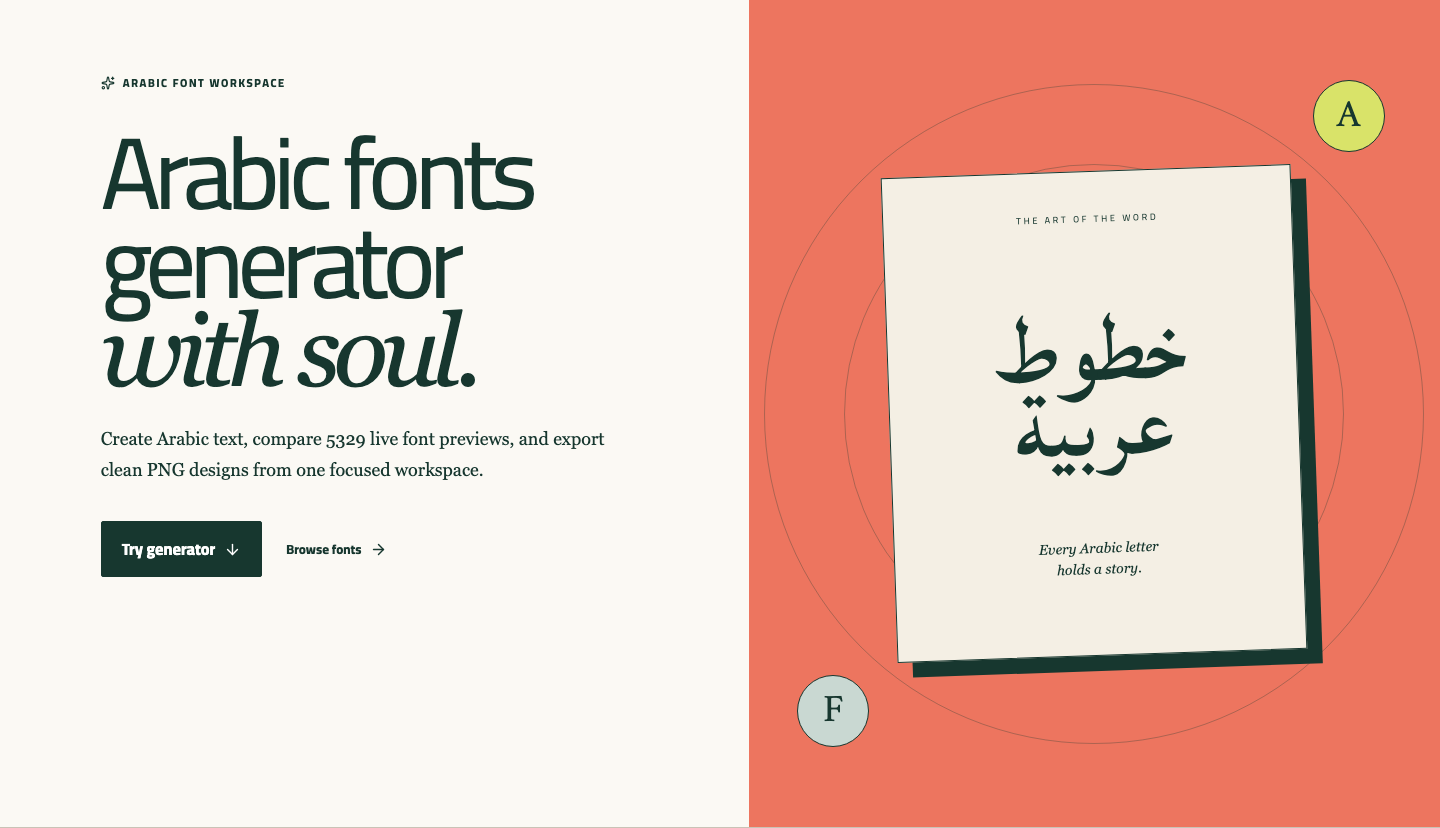
Screenshot 1. The homepage hero introduces the arabic font generator and directs users to start generating text immediately.
What is an arabic font generator?
An arabic font generator is an online tool that turns plain text into styled Arabic text previews. Instead of guessing how a font might look, you can see the result immediately. That makes an arabic font generator useful for fast experiments, especially when you want to compare several looks before choosing one.
For many users, the value of an arabic font generator is speed. You do not need to open a heavy design app just to test a phrase, try a title, or check whether a calligraphy-inspired style feels elegant, formal, geometric, or modern.
The best part is that an arabic font generator is not only for designers. Students, small business owners, social media creators, event planners, and people making gifts or personal graphics can all use it.
Who should use an arabic font generator?
An arabic font generator is especially helpful if you need Arabic text for visual use rather than full page layout work.
Common use cases include:
- Social media graphics
- Logo experiments
- Poster or cover concepts
- Invitations and greeting cards
- Quote images
- Personal name art
- Short branding lines
If your goal is to test different looks quickly, an arabic font generator is usually the fastest route. If your goal is final publishing for print, packaging, or commercial identity work, the arabic font generator is still a strong first step, but you should also review the font license before final use.
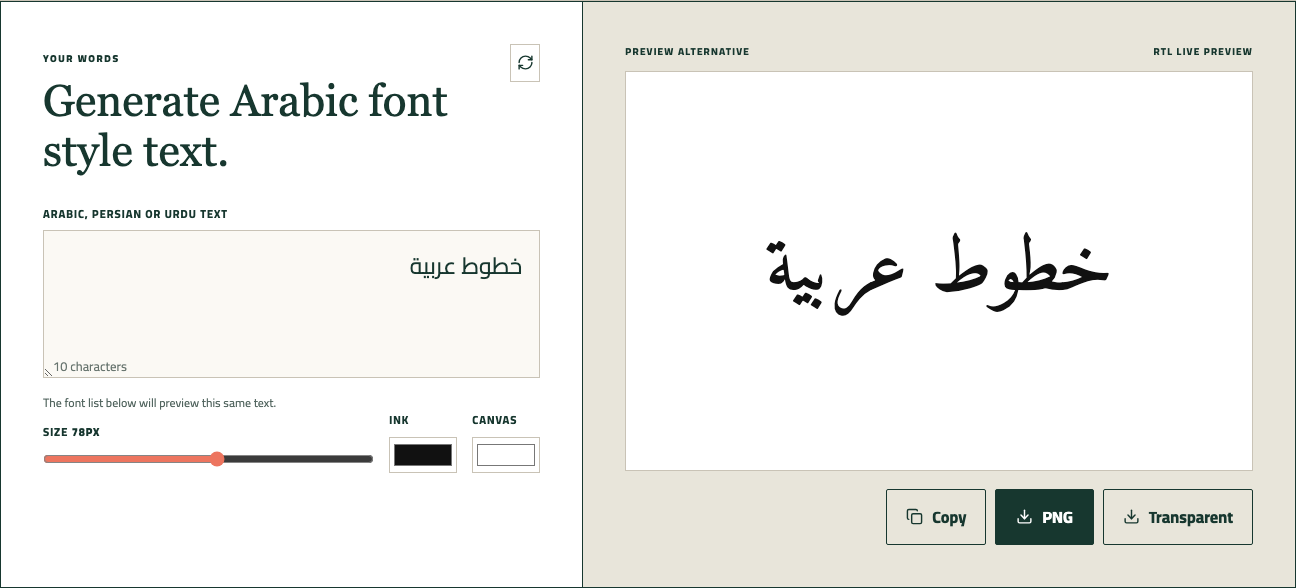
Screenshot 2. After entering text, the arabic font generator updates the preview instantly and keeps the editing tools in the same workspace.
How to use an arabic font generator step by step
Using an arabic font generator should feel simple. On NuqtaForge, the flow is built around a live preview workspace, so users can make changes and see results immediately.
1. Enter your text
Start by typing or pasting your text into the text box. A good arabic font generator should support quick editing, so you can test names, headlines, short quotes, or short branding phrases without friction.
If you are working in Arabic, Urdu, or Persian, keep your wording short at first. This makes it easier to judge whether the arabic font generator is giving you the right tone and readability.
2. Compare font styles with real text
The main advantage of an arabic font generator is that you do not need to imagine the result. NuqtaForge lets users preview styles inspired by Naskh, Kufic, Thuluth, Diwani, Ruq'ah, and Nastaliq. Each style creates a very different mood.
- Naskh feels clear and balanced
- Kufic feels geometric and bold
- Thuluth feels grand and ceremonial
- Diwani feels decorative and flowing
- Ruq'ah feels casual and handwritten
- Nastaliq feels poetic and sloped
This is where an arabic font generator becomes more than a text box. It becomes a comparison tool that helps you match the style to the purpose.
3. Adjust the visual settings
An effective arabic font generator should let you do more than switch fonts. On this site, users can change text size, ink color, and canvas color. These small adjustments matter because the same font can look formal on a white canvas, dramatic on a dark background, or soft on a warm tone.
If your design is for Instagram, thumbnails, or digital posters, use the arabic font generator to test contrast before exporting. Clear contrast usually improves readability immediately.
4. Copy or export the result
Once the design looks right, the arabic font generator should help you take the next step quickly. NuqtaForge supports copying the text itself, exporting a PNG, and exporting a transparent PNG. When a font file is available, users can also download it for later use in other design tools.
That makes the arabic font generator practical for both quick sharing and more polished design work.
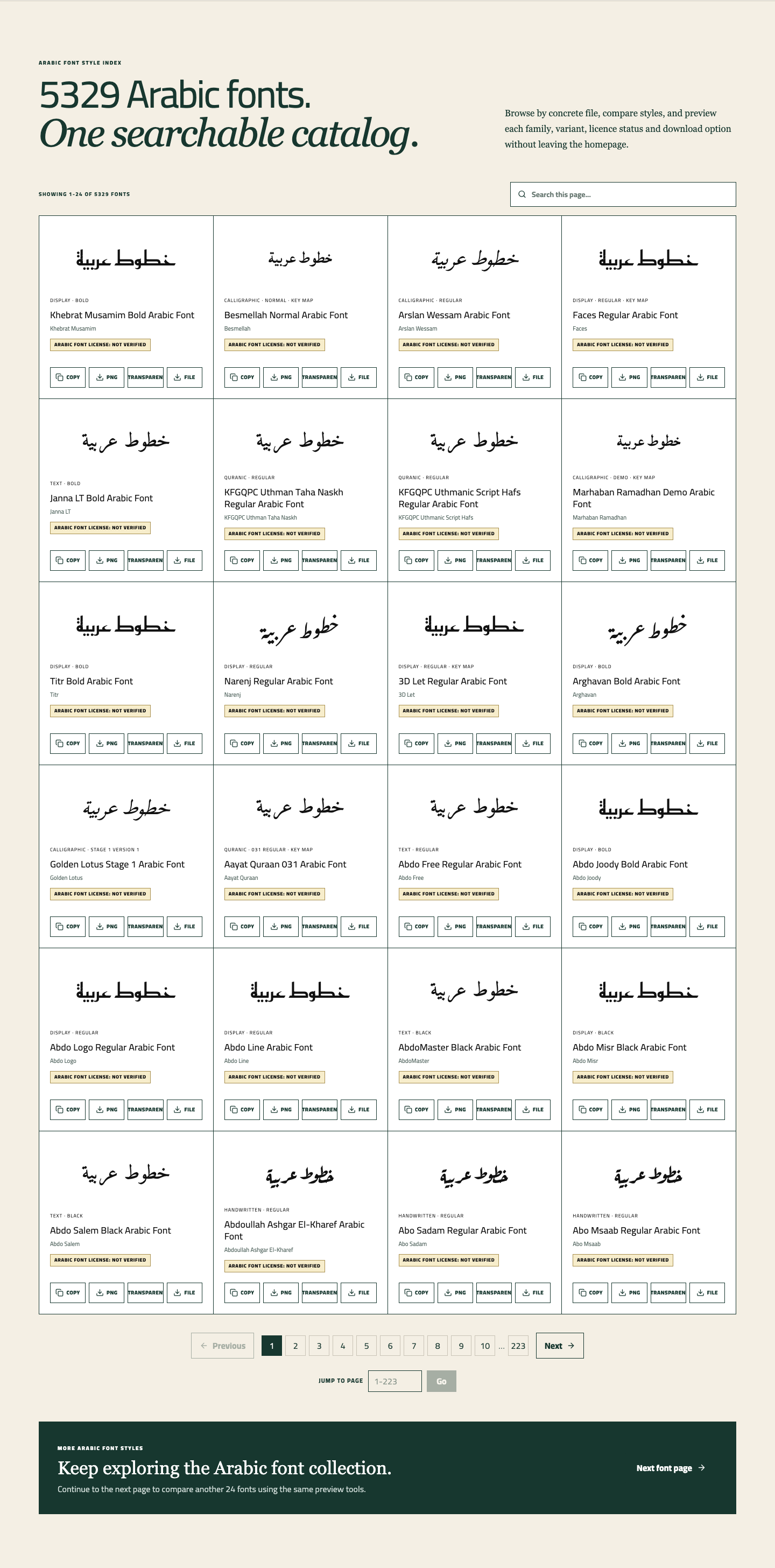
Screenshot 3. The searchable font catalog helps users compare many Arabic font looks without leaving the homepage.
What makes a good arabic font generator?
Not every arabic font generator is equally useful. Some tools only decorate text. A stronger arabic font generator helps users make better visual decisions.
A good arabic font generator should include:
- Live preview, not static examples
- Multiple style directions, not one generic look
- Clean text input with easy editing
- Size and color controls
- PNG export for easy sharing
- Transparent background export for flexible design use
- Clear download options when source font files exist
- Basic license awareness before commercial use
This last point matters more than many users expect. A visually appealing result from an arabic font generator does not automatically mean the font is free for every use case. For client work, branding, apps, or reselling assets, always review rights before publishing.
How to choose the right style for your project
A smart way to use an arabic font generator is to choose the style based on the job, not just on what looks impressive at first glance.
Here is a simple way to think about it:
- Choose Naskh for readability and longer phrases
- Choose Kufic for logos, badges, and structured titles
- Choose Thuluth for ceremonial or expressive statements
- Choose Diwani for elegant invitations or luxury visuals
- Choose Ruq'ah for relaxed and personal graphics
- Choose Nastaliq for Urdu or Persian poetry and lyrical presentation
If you are unsure, an arabic font generator helps because you can test the same wording across multiple styles in seconds. That direct comparison is often more useful than reading font descriptions alone.

Screenshot 4. Users can adjust text size, ink color, and canvas color before exporting the final design.
Common mistakes people make with an arabic font generator
Even a good arabic font generator can be used badly if the text choice and style choice do not match.
Here are common mistakes to avoid:
- Using a highly ornamental style for long text
- Picking a geometric style for a phrase that needs warmth
- Ignoring contrast between text and background
- Exporting too quickly without comparing two or three options
- Assuming every downloadable font can be used commercially
A careful user gets more value from an arabic font generator by slowing down at the comparison stage. Usually, the best result comes from testing one phrase in several styles, changing the size once or twice, and checking whether the design still looks clean on mobile.
Why users like this arabic font generator
What makes this arabic font generator useful is not only the styling. It is the simple experience. Users can type text, preview changes immediately, compare real Arabic-oriented styles, and export a ready-to-use image without leaving the page.
That reduces friction. Instead of jumping between separate tools for preview, color testing, and export, the arabic font generator keeps the decision-making in one place. For everyday users, that is often the difference between trying an idea and actually finishing it.

Screenshot 5. The export actions make it easy to copy the text or save the result as a standard or transparent PNG.
FAQ
Can I use an arabic font generator even if I am not a designer?
Yes. A good arabic font generator is built for quick visual testing. You only need your text and a general idea of the mood you want.
What should I do if I do not know which style to choose?
Use the arabic font generator to compare the same phrase in different styles first. In most cases, side-by-side preview makes the right choice obvious.
Is PNG export enough for most users?
For social posts, mockups, profile graphics, and many lightweight design tasks, yes. That is why PNG export is one of the most practical features in an arabic font generator.
Do I still need to check licensing?
Yes. An arabic font generator helps with preview and testing, but licensing rules still depend on the original font source and your final use case.
Final thoughts
An arabic font generator is most useful when it helps you move from idea to visual result quickly. If the tool lets you test real text, compare styles, adjust presentation, and export clean files, it becomes much more than a novelty.
NuqtaForge is built to make that process feel easy. If you want to explore Arabic styles, compare script moods, and create shareable text graphics without extra software, start with the arabic font generator, test a few styles, and keep the version that truly fits your message.
CTA: Try the generator with a short phrase first, compare at least three styles, and export both a regular PNG and a transparent PNG so you have one version for sharing and one for design reuse.
Go back to the homepage and test the Arabic font generator with your own text.
Try a short phrase, compare a few styles, and export the version that fits your post, logo, invitation, or design idea.